Company
Oracle NetSuite
Time & Role
2025.08-2025.12 Lead UX Designer
Customization Deployment
Overview
For years, NetSuite’s developer-centric deployment flow left non-technical administrators without a safe, intelligible way to move customizations across environments—pushing them toward risky workarounds and driving significant operational strain.
As UX Lead, I led the transition from code-heavy execution to a guided, point-and-click orchestration, and later evolved it into an AI-native, agentic workflow that proactively surfaces dependencies, explains risk, and guides resolution—transforming deployment from manual troubleshooting into a state of system-supported confidence.
Role
End-to-end UX design lead
Stakeholders
Product manager, UX researcher, developer, tech writer, content designer, data scientist, consultants
Domain
Platform & Admin experience, Developer experience, Design system, AI pattern interaction
Impact & Outcome
Bridging the gap by delivering a new feature that empowers non-technical users to confidently manage deployments, aligning NetSuite’s functionality with user needs.
400K+
Legacy bundles prevented from further misuse as deployment workarounds
60%
Deployment-related support tickets volume addressed at the root cause level
Agentic workflow
Established a concrete, in-production agentic workflow pattern for NetSuite’s complex enterprise operations.
Risk Predictability
Shifted deployments from reactive failure handling to proactive validation and guided resolution.
Highlights
Below are key highlights from this initiative, where I combined user research, platform data, and rapid execution to realign user behavior, reduce operational burden, and establish a production example of agentic workflow design within NetSuite.
Led research to realign user mental models with system design
Conducted in-depth interviews with small-business administrators and NetSuite customer support consultants to uncover why users bypassed the intended deployment flow. Synthesized findings into clear mental-model gaps that explained widespread workaround behavior.
Drove rapid iteration with intent under time pressure
I moved from early concepts to a production deployment experience within three weeks, launching NetSuite’s first point-and-click deployment workflow.
Established an agentic workflow pattern for enterprise DevOps
This pattern became a reference for NetSuite’s AI evolution and was presented at SuiteWorld 2025, with strong positive feedback from enterprise customers.
Context
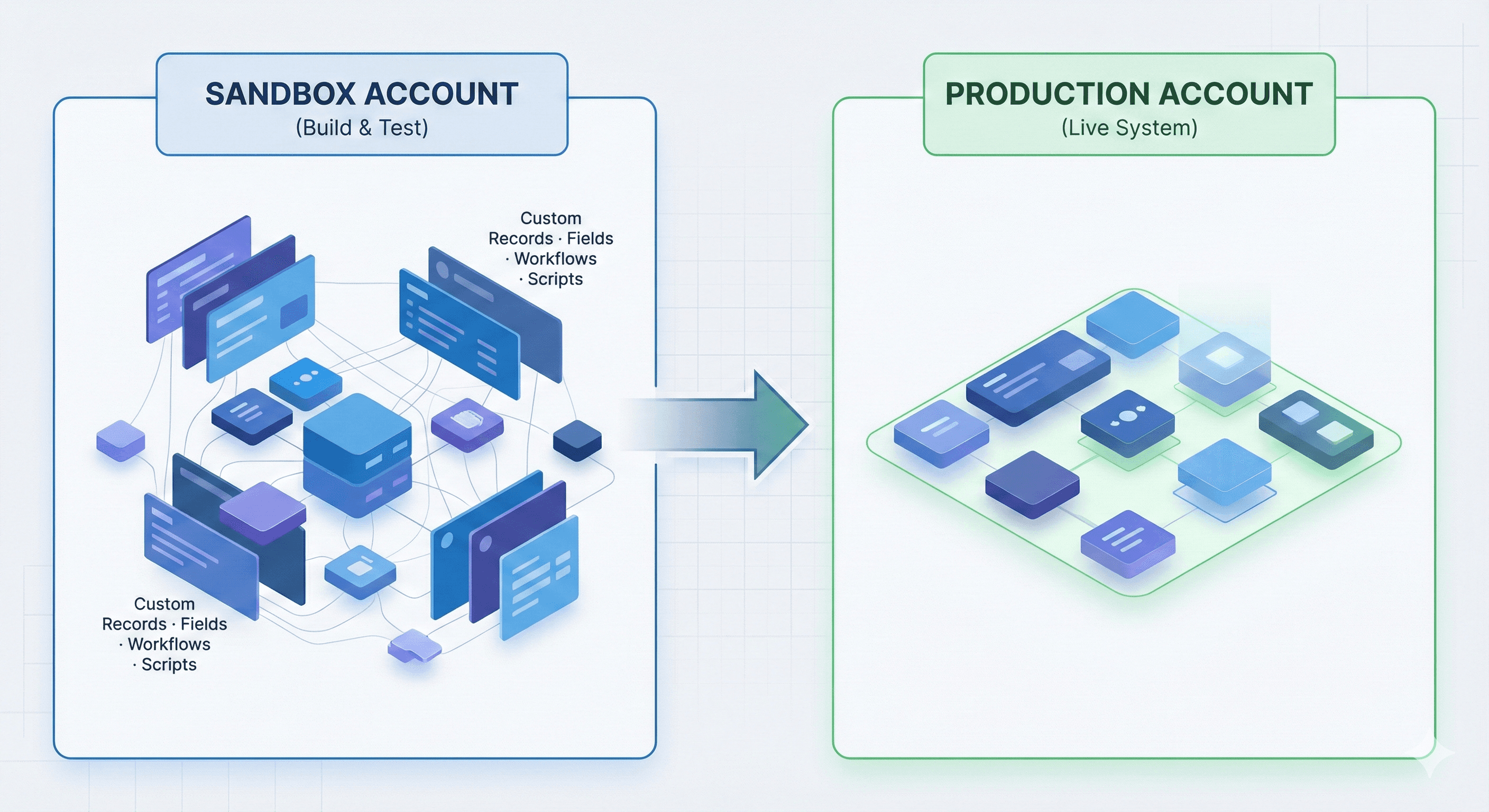
NetSuite is widely known for its extensibility. Customers tailor the platform by creating large volumes of custom objects—such as custom records, fields, workflows, and scripts—to fit their unique business processes.
To reduce risk, administrators and developers typically build and test these customizations in a sandbox environment, then deploy them to production once they’re ready. This sandbox → production movement—known as deployment—is a critical but high-risk operation: missing dependencies or configuration mismatches can block releases or cause production issues.
As NetSuite customers grow, deployment increasingly becomes the responsibility of non-technical administrators, not just developers—making clarity, predictability, and system guidance essential.
Problem
Deploying customizations in NetSuite is inherently complex:
Objects often have nested, hidden, or locked dependencies
Errors are discovered late, often after deployment
Existing tools are code-centric, fragmented, and opaque
Users lack a clear mental model of what will be deployed, what might break, and why
As a result, deployments are risky, slow, and stressful—especially in production environments.
Solution Phase 1
Point-and-Click
Deploying customizations in NetSuite is inherently complex:
Objects often have nested, hidden, or locked dependencies
Errors are discovered late, often during execution
Existing tools are code-centric, fragmented, and opaque
Users lack a clear mental model of what will be deployed, what might break, and why
As a result, deployments are risky, slow, and stressful—especially in production environments.
Solution Phase 2
Agentic workflow
Deploying customizations in NetSuite is inherently complex:
Objects often have nested, hidden, or locked dependencies
Errors are discovered late, often during execution
Existing tools are code-centric, fragmented, and opaque
Users lack a clear mental model of what will be deployed, what might break, and why
As a result, deployments are risky, slow, and stressful—especially in production environments.
Intent-based deployment via conversational entry point
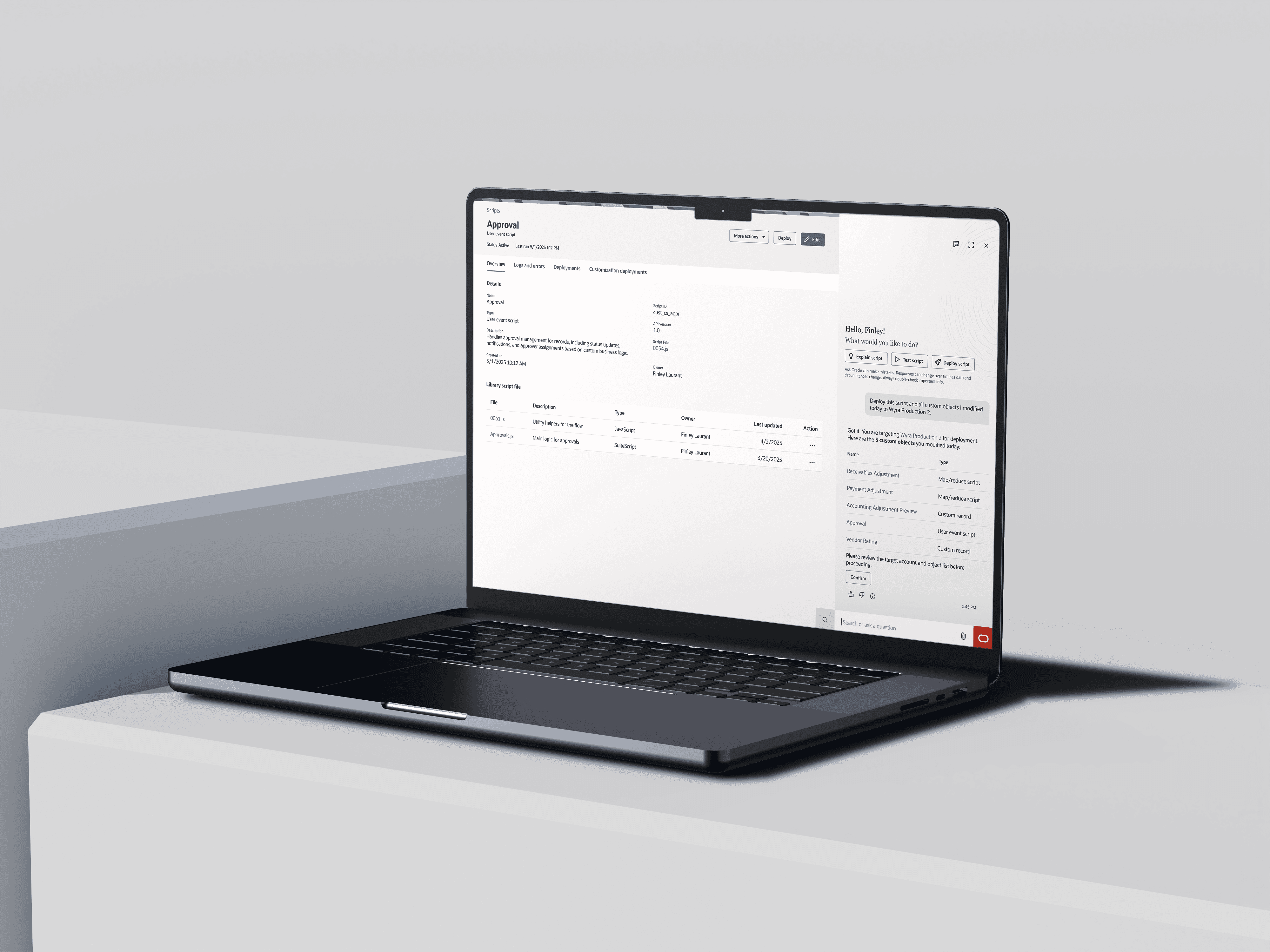
After creating a custom object, users can initiate deployment through Ask Oracle. A deployment agent interprets user intent to identify the relevant objects and target account—eliminating manual setup.
Post-deployment summary and customizable reporting
After deployment, the AI generates a summary report. Users can tailor the report by selecting specific objects or details, adapting it for different stakeholders.
Human-in-the-loop error handling and guided resolution
When errors or warnings occur, users stay in control while the AI provides contextual explanations and guided resolution paths—reducing trial-and-error without automating high-risk decisions.
Due to confidentiality, I can’t share more details here. Feel free to reach out if you’d like to know more about the design approach.